PlayAbility on Xbox

Play with an Xbox Adaptive Controller, stream from your Xbox, or play in the cloud.

All connections require PlayAbility running on a Windows PC.

Get the Windows app

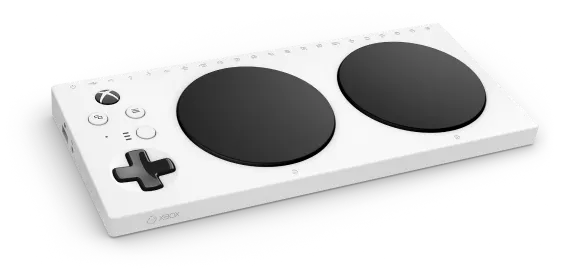
With an Xbox Adaptive Controller

Add a Pico receiver to your Xbox Adaptive Controller to play without streaming.

What you need

  • Xbox Adaptive Controller connected to the console
  • Pico W or Pico 2 W
  • USB data cable and an available Xbox Adaptive Controller USB input

Before choosing

  • The receiver cannot connect to Xbox on its own.
  • Analog triggers (LT/RT) need controller remapping or physical inputs.
Open Adaptive Controller setup guide
Where to get it

Raspberry Pi Pico W

Tested by PlayAbility

Raspberry Pi Pico 2 W

Tested by PlayAbility

As an Amazon Associate I earn from qualifying purchases.

Stream from your Xbox

Remote Play streams games from your Xbox to your PC, with no console adapter.

What you need

  • Xbox configured for Remote Play
  • Microsoft account with access to the console
  • A compatible Windows app or browser
  • Reliable network while playing

Before choosing

  • The Remote Play app must recognize virtual controllers; compatibility can change.
  • Streaming can add input and video delay.
Open Remote Play setup guide

Play in the cloud

Play supported Xbox Cloud Gaming titles without owning an Xbox console.

What you need

  • Eligible Microsoft account and subscription
  • A supported game and region, plus a compatible browser or Windows app
  • Reliable internet connection

Before choosing

  • Microsoft determines available games, subscriptions, and regions.
  • Streaming can add input and video delay.
Open Cloud Gaming setup guide